
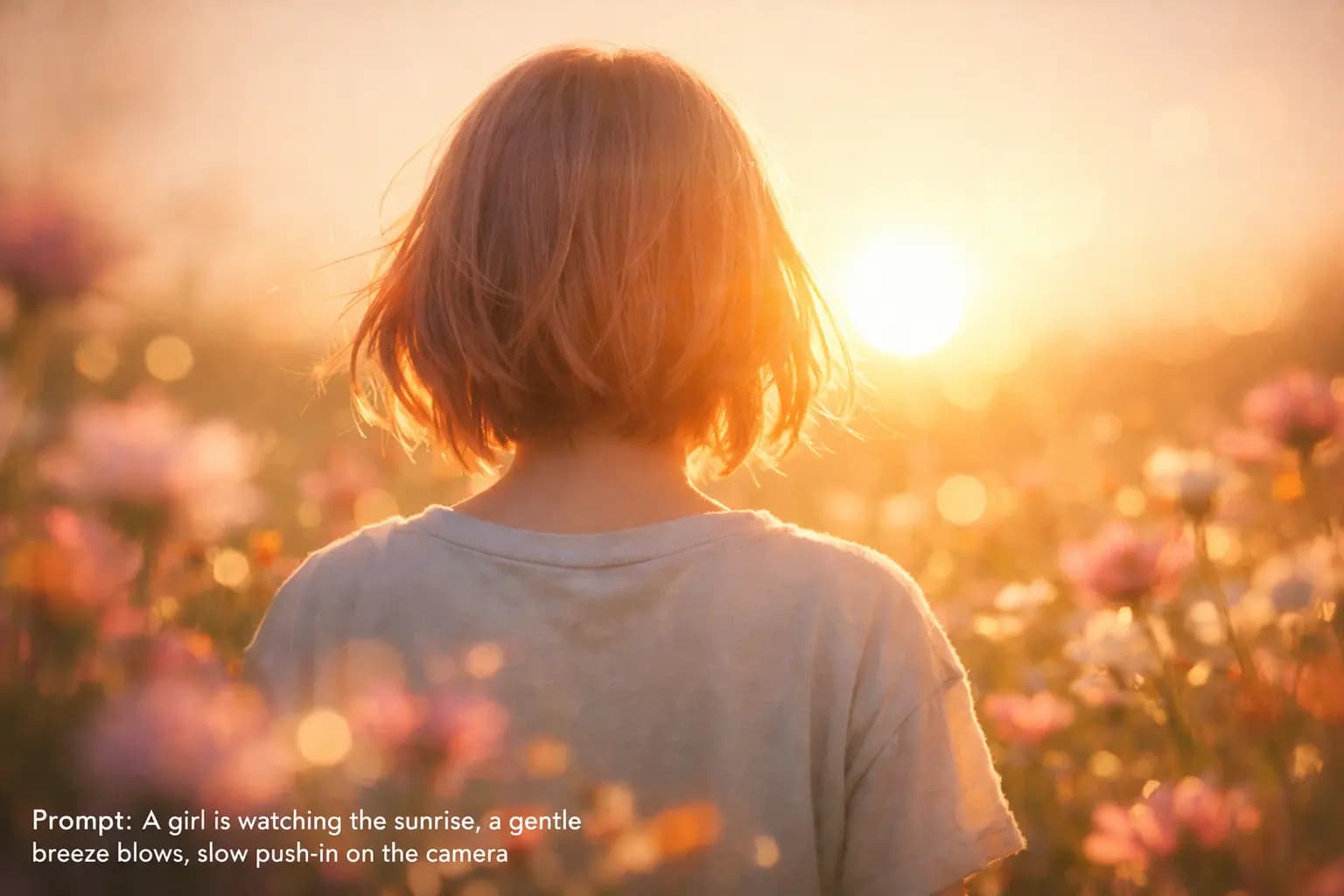
You've seen the incredible videos people are creating with Seedance. Cinematic product shots, character-driven scenes, seamless multi-shot montages. Then you sit down to write your own prompt and... nothing comes close.
The problem isn't Seedance. It's prompting. Seedance is remarkably capable — it supports multi-shot storytelling, 1080p output, and strong instruction following. But that power is only useful if your prompt is specific enough to unlock it. Vague descriptions like "a beautiful sunset scene with a person walking" produce vague results.
What if you could skip the guesswork entirely? What if you could just point at a video you love and say: "Generate prompts like this"?
That's exactly what Memories.ai does.
The Only Tool That Generates Seedance Prompts FROM Video
Most prompt generators give you template text. Memories.ai actually watches your reference video and generates shot-by-shot prompts matched to what you see.
Start from your footage in Analyzer, then turn those insights into Seedance-ready prompts in the app.
How It Works: Video In, Prompts Out
The idea is simple. You already know what you want your video to look like — you've seen it in an ad, a film, a TikTok, or a competitor's content. The hard part is translating that visual instinct into structured text that Seedance can follow.
Memories.ai bridges that gap. Upload any reference video, open Video Chat, and ask it to analyze the footage. It breaks down every visual detail — camera angles, lighting, color palettes, pacing, subject actions, composition — and converts them into prompts you can paste directly into Seedance.
If you want to interrogate a long reference first, use AI Watch Video and Answer Questions to pull scene-level facts before you generate prompts.
No filmmaking vocabulary required. No trial and error. Just upload, chat, and generate.
Try it free — get credits on sign up
In this article
- Why Seedance prompts are hard to write from scratch
- The video-to-prompt method
- Step-by-step: generate Seedance prompts in Memories.ai
- Seedance 2.0: what's new for prompting
- Seedance prompt templates: single-video and multi-shot formats
- Real-world examples
- Tips for better results
- FAQ
Why Seedance Prompts Are Hard to Write from Scratch
Seedance isn't like a text-to-image tool where you throw in a few keywords and get a decent result. You're describing something that moves — through time, space, and emotion. A good Seedance prompt needs to specify:
- What's in the scene — subjects, setting, props, wardrobe
- How it's filmed — shot size, camera angle, camera movement
- How it feels — lighting, color grade, mood, pacing
- How it stays consistent — continuity across multiple shots
Miss any one of these and the output drifts. The model fills in the blanks with its own interpretation, and that's where things go sideways: characters change appearance between shots, lighting flips randomly, the camera does something you never intended.
The people getting great results with Seedance aren't better writers. They're better at being specific. And the fastest way to get specific is to start from a reference.
The Video-to-Prompt Method
Instead of staring at a blank text box, start with a video that already has the look, feel, and structure you want. Then let AI do the heavy lifting of translating visuals into words.
Here's the core loop:
- Find a reference video — an ad, a short film, a clip that matches your vision
- Upload it to Memories.ai — the AI watches and understands the full video
- Ask questions in Video Chat — extract shot breakdowns, camera language, style rules
- Get Seedance-ready prompts — structured, detailed, paste-and-go
This works because Memories.ai doesn't just transcribe or summarize. It actually sees the video — the framing, the movement, the lighting shifts, the edit rhythm. It can describe what a cinematographer would describe, in the language that Seedance understands.
Step-by-Step: Generate Seedance Prompts in Memories.ai
After uploading your reference video to Memories.ai, open Video Chat and use these prompts in sequence. Each one builds on the last.
1. Get the shot breakdown
Ask:
"Break this video into individual shots. For each shot, describe: the scene setting, subject(s), main action, shot size (wide/medium/close-up), camera angle, camera movement, lighting, color palette, and pacing."
This gives you the structural skeleton of the video — the building blocks for your Seedance prompts.
2. Extract the visual style
Ask:
"Summarize the overall visual style: cinematic look, color grading (warm/cool/contrast/saturation), lighting style, lens feel, composition patterns, and editing rhythm."
This captures the "vibe" — the consistent aesthetic that makes the video feel cohesive.
3. Lock down continuity rules
Ask:
"What visual elements stay consistent across all shots? List character appearance details, recurring props, environment anchors, color grading rules, and camera style patterns. Format this as a 'continuity constraints' block I can paste into a prompt."
This is the secret to multi-shot consistency. Without explicit continuity rules, Seedance treats each shot independently.
4. Generate the final prompts
Ask:
"Using everything above, generate two versions: (A) A single full-video prompt that captures the complete style, structure, and constraints. (B) A shot-by-shot prompt list where each shot has its own prompt with specific camera, action, and mood details. Keep each shot prompt under 100 words. Use filmmaking terms. Be specific, not vague."
You now have two prompt formats ready to paste into Seedance.
Seedance 2.0: What's New for Prompting
Seedance 2.0 (officially launched on February 12, 2026) expands what you can control with prompts: stronger multi-shot continuity, native audio generation with lip sync, and richer multimodal references.
To adapt your Seedance 2.0 prompt guide:
- Specify shot-to-shot continuity explicitly. Keep a global constraints block for character appearance, wardrobe, lighting direction, and camera language.
- Prompt audio as a first-class output. Add explicit instructions for dialogue tone, ambient sound, music mood, and timing cues per shot.
- Use reference assets intentionally. Pair your reference video analysis with supporting images for style lock-in when scenes shift.
- Define motion intent per shot. Instead of generic "cinematic movement," specify dolly/pan/handheld behavior with speed and timing.
Seedance Prompt Templates: Single-Video and Multi-Shot Formats
Template A: Single Full-Video Prompt
Goal: Generate a [duration] AI video in [aspect ratio], styled as [ad / short film / social clip].

Subject: [description, including appearance details]
Setting: [location, time of day, atmosphere]
Visual style: [cinematic / realistic / stylized], [color temperature], [contrast level]
Lighting: [soft / hard / backlight / neon], direction: [notes]
Camera: [preferred shot sizes], [angles], [movement style]

Continuity constraints:
[Paste the continuity block from Memories.ai]

Avoid: watermarks, text overlays, distorted faces, flickering, extreme motion blur, inconsistent lighting between shots.

Narrative arc: [establishing scene] → [introduce subject] → [key action] → [closing frame]
Template B: Shot-by-Shot Multi-Shot Prompt
Global style (applies to all shots):
[Subject + appearance + setting + visual style + color + lighting + continuity rules]

Avoid: [negative constraints]

---

Shot 1 — Establishing:
Wide shot. [Setting + atmosphere]. Camera: [angle], [slow dolly in / pan]. Mood: [keywords].

Shot 2 — Subject introduction:
Medium shot. [Subject enters / is revealed]. Action: [specific action]. Camera: [angle], [movement].

Shot 3 — Key moment:
Close-up. [Action escalates or emotional beat]. Camera: [angle], [movement]. Emphasize [detail].

Shot 4 — Payoff:
Hero shot. [Final reveal or closing action]. Camera stable. Strong lighting. Clean composition.
Real-World Examples
Product commercial
Upload a product ad you admire. Ask Memories.ai to extract: how the product is lit, what angles highlight its material/texture, where macro shots are used, and how the background stays clean and uncluttered. Your Seedance prompt will emphasize stable compositions, consistent reflections, and explicit "no random objects in frame" constraints.
Character-driven short scene
Upload a short film clip or cinematic TikTok. Ask Memories.ai to extract: how camera distance changes with emotional intensity, where the edit rhythm speeds up or pauses, and what facial expressions or body language carry the narrative. Your Seedance prompt will tie camera movement directly to emotion — close-up when tension rises, wide shot when it releases.
Travel or lifestyle montage
Upload a travel reel or brand montage. Ask Memories.ai to extract: what 2-3 camera moves repeat throughout, how color grading stays uniform across different locations, and what composition patterns create visual rhythm. Your Seedance prompt will enforce a small set of recurring motifs so the montage feels like one piece, not random clips stitched together.
Tips for Better Results
Start with Template A to lock the overall style. Once the vibe is right, switch to Template B for shot-by-shot control.
Change one thing at a time. If a shot looks wrong, don't rewrite everything. Adjust only the camera movement, or only the lighting, or only the action. Isolate the variable.
Feed failures back into Memories.ai. If Seedance produces something that doesn't match your reference, upload the generated output alongside the original and ask: "What's different between these two? What constraints am I missing?" The AI will spot the gaps.
Be concrete, not poetic. "Golden hour warmth with soft backlight from camera-left" works. "A dreamy ethereal glow of fading light" doesn't. Seedance follows instructions better than it interprets poetry.
Keep shot prompts under 100 words. Overloading a single shot with too many details causes the model to prioritize unpredictably. Focus on the 4-5 most important attributes per shot.
FAQ
Do I need filmmaking knowledge to use this? No. That's the whole point. Memories.ai translates what it sees in your reference video into proper filmmaking terminology. You just upload and ask.
How long should a Seedance prompt be? Structure matters more than length. A 50-word prompt with clear shot size, camera movement, and subject action will outperform a 200-word wall of adjectives.
Why do my multi-shot videos look inconsistent? You're probably missing continuity constraints. If you don't explicitly tell Seedance to keep the character's outfit, the lighting direction, and the color grade consistent, it won't. Use the continuity extraction prompt above.
Can Memories.ai generate prompts for other video AI tools? Yes. The video analysis works the same way regardless of your target tool. You can ask for prompts formatted for Seedance, Kling, Runway, Sora, or any other video generation model.
What types of reference videos work best? Anything with clear visual intention: ads, short films, music videos, product demos, cinematic travel reels. Avoid shaky phone footage or heavily edited montages with constant scene changes — the cleaner the reference, the better the prompt extraction.
Read more

Best Meeting Transcription Software in 2026 (Tested & Compared)
We tested 8 meeting transcription tools head-to-head. Compare accuracy, AI summaries, pricing, and integrations to find the best fit for your team.
Best AI Note Taker for Zoom in 2026 — Auto Summary, Action Items & Smart Search
Compare the 6 best AI note takers for Zoom meetings. Get automatic transcription, summaries, and action items. See how they stack up on accuracy, features, and price.
How to Convert Video to Text with Visual Descriptions (2026 Guide)
In a world where 80% of internet traffic is video, text-only transcripts leave out half the story. This guide shows you how to use [Memories.ai](https://memories.ai/app) to convert video and audio into text that includes visual narratives, speaker recognition, and customized summaries.