
In a world where 80% of internet traffic is video, simply transcribing audio is no longer enough. If you've ever tried to search through a recorded meeting for a specific slide or tried to remember which unlabeled clip contained a specific reaction, you know that text-only transcripts leave out half the story.
Imagine sitting in the glow of your monitor, trying to turn a messy, two-hour video—maybe a project kickoff, a cinematic vlog, or a technical interview—into something useful. Standard transcription tools give you a wall of text that tells you what was said, but they miss everything that happened. They can't see the whiteboard diagrams, the cinematic camera movements, or the visual cues that actually matter. To get a shotlist or a project update, you're forced into the Timeline Slump with hours of manual scrubbing, note-taking, and fast-forwarding through a digital haystack.
Your video intelligence shouldn't be limited to audio. It should be a complete visual and verbal record.

To truly understand a video, you need an AI that can see as well as hear. In this guide, we'll show you how to use Memories.ai to convert video and audio into text that includes visual narratives, speaker recognition, and customized summaries.
In this article
- The Problem: Most Transcriptions are Blind
- The Solution: Memories.ai Video-to-Text & Visual Description
- How to Convert Video to Text & Summaries (Step-by-Step)
- Why Visual Transcription is a Game Changer
The Problem: Most Transcriptions are Blind
Traditional speech-to-text tools only listen. For a modern creator, director, or project manager, that's only half the story.
- The Context Gap: A transcript might say "Look at this," but without a visual description, that data is useless.
- The Template Struggle: Most tools give you a generic document. They don't know the difference between a Cinematic Breakdown vs. a Project Kick-off.
- The Information Overload: You don't need a 50-page transcript; you need a searchable, categorized summary dedicated for a certain purpose.
The Solution: Memories.ai Video-to-Text & Visual Description
The Memories.ai Transcription Engine is built on our Large Visual Memory Model (LVMM) and goes beyond traditional speech-to-text. While standard tools only transcribe what is said, Memories.ai is able to provide a visual description. It documents what is happening on screen—gestures, facial expressions, and scene changes—and merges them with the audio transcript or any other format you want.
Whether you are a filmmaker needing a cinematic breakdown or a project manager looking for a meeting update or brief, Memories.ai offers tailored templates to turn raw pixels into structured, actionable intelligence formatted exactly how you need it.
How to Convert Video to Text & Summaries (Step-by-Step)

Step 1: Upload Your Source
Upload your video directly to the chat box.
Step 2: Select Your Intelligence Template
This is where Memories.ai changes the game. Instead of a generic text file, you're able to choose a template that fits your specific goal.
- For Creation: Visual Narrative, Shotlist, or Cinematic Breakdown.
- For Teams: Project Update, Project Kick-off, or Meeting Minutes.
- General: Video to Text, Q&A, or Simple Summary.
Step 3: AI-Powered Processing
Click Generate. The AI Agent scans the Visual Memory of the file. It not only provides a time-stamped transcript but also identifies who is speaking (Speech Recognition), what they are doing (Visual Description), and why it matters (Summarization).
Step 4: Export and Interact
Once your transcript is ready, you can export it to your favorite doc editor or use the Chat & Agents feature to ask follow-up questions like: What was the exact moment the lighting changed in the mountain scene? Or format your export as a professional storyboard or shotlist, ready for your next production.
Why Visual Transcription is a Game Changer

1. For Content Creators
Stop wasting time on the timeline slump. Use the Shotlist template to automatically identify best takes, lighting changes, and b-roll segments.
2. For Corporate Teams
Turn a 60-minute project update into a 2-minute read. The Team Templates automatically extract action items and link them to the specific moments in the video where they were discussed.
3. For Research & SEO
By converting video to text with deep visual descriptions, you create content that is 100% searchable. Find that one clip from three months ago by searching for whiteboard session or product demo.
Stop Settling for Half the Story
Experience the power of visual-first transcription.
👉 Start Your Free Trial of Memories.ai | Explore All Templates
Read more

Best Meeting Transcription Software in 2026 (Tested & Compared)
We tested 8 meeting transcription tools head-to-head. Compare accuracy, AI summaries, pricing, and integrations to find the best fit for your team.
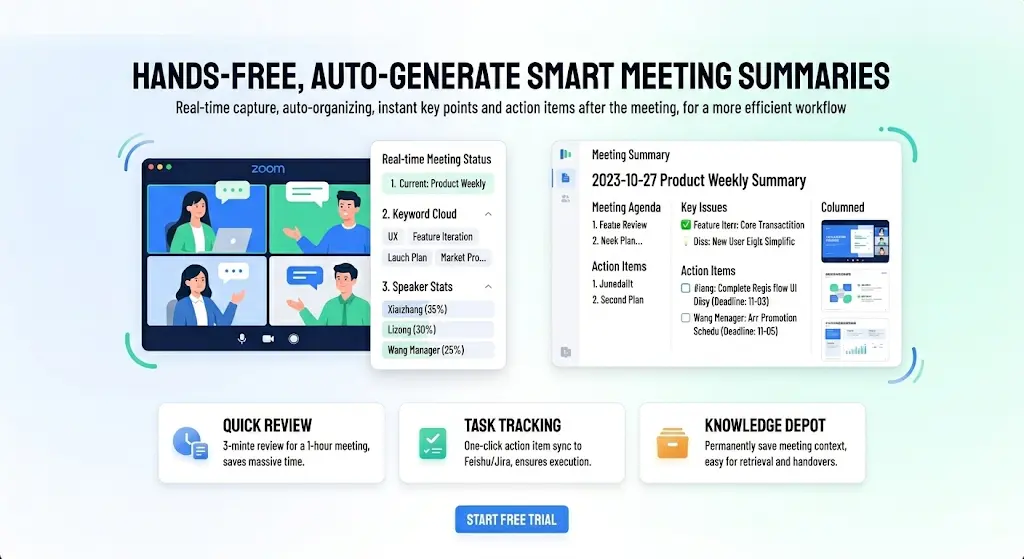
Best AI Note Taker for Zoom in 2026 — Auto Summary, Action Items & Smart Search
Compare the 6 best AI note takers for Zoom meetings. Get automatic transcription, summaries, and action items. See how they stack up on accuracy, features, and price.
How to Get Deep Content Insights from Any Creator (2026 Guide)
To grow as a creator in 2026, you cannot just post and pray. This guide shows you how to use [Memories.ai](https://memories.ai/app) Creator Insight to turn any creator profile link into a detailed strategic report—so you can stop guessing and start growing.