
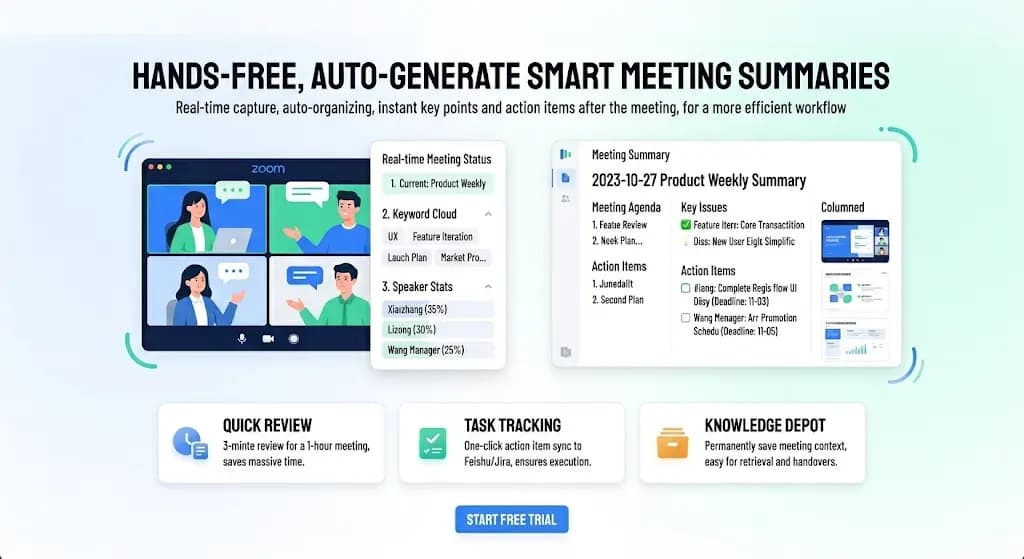
You just finished a 45-minute Zoom call. Someone asks, "What were the action items?" You stare at your hastily scribbled notes and realize you stopped writing 20 minutes in.
Sound familiar?
AI note takers for Zoom solve this by joining your meetings, transcribing everything, and using AI to generate clean summaries with action items — so you can actually participate in the conversation instead of playing secretary.
But here's the thing: Zoom now has its own AI Companion built in. So do you even need a third-party tool?
Short answer: probably yes. In this guide, we'll explore why — and which AI note taker to pick. We tested six standout tools, including our top recommendation, Memories.ai Memories.ai for Zoom, which offers the highest accuracy, cross-meeting AI search, and works across Zoom, Meet, Teams, and more.
Whether you're drowning in standups, client calls, or product reviews, the right AI note taker could completely change how you capture and use what gets said.
In this article
- Zoom AI Companion vs. Third-Party AI Note Takers
- Top 6 AI Note Takers for Zoom (2026 Review)
- Tool Comparison: Which AI Note Taker Is Right for You?
- Setting Up an AI Note Taker for Zoom
- Tips for Better AI Meeting Transcription
- FAQ: Common Questions About AI Note Takers for Zoom
Zoom AI Companion vs. Third-Party AI Note Takers
Zoom shipped AI Companion to all paid plans in 2024. It provides meeting summaries, action items, and smart chapters at no additional cost. Sounds great — until you hit the limitations.
| Zoom AI Companion | Third-Party AI Note Takers | |
|---|---|---|
| Works with | Zoom only | Zoom + Meet + Teams + more |
| Transcription accuracy | ~90% | 95-99% |
| Summary quality | Generic, often misses nuance | More detailed, customizable |
| Cross-meeting search | ❌ | Some tools offer this |
| Video/screen analysis | ❌ | Memories.ai does this |
| CRM integration | Limited | Salesforce, HubSpot, etc. |
| Custom vocabularies | ❌ | Available in most tools |
| Cost | Included | $12-20/month extra |
When Zoom AI Companion is enough: You only use Zoom, your meetings are straightforward, and you just need basic summaries. It's free with your existing plan — hard to beat.
When you need more: You use multiple platforms, need higher accuracy, want to search across past meetings, need CRM integration, or your meetings involve technical/industry-specific language.
Part 2. Top 6 AI Note Takers for Zoom (2026 Review)
Following the criteria above, we reviewed and tested six standout tools. Let's start with our top recommendation: Memories.ai.
1. Memories.ai – Best Overall
Memories.ai treats your Zoom meetings as part of a larger knowledge system. Every meeting is transcribed, summarized, and connected to your other meetings, recordings, and documents — creating a searchable memory of your entire work history.
Whether it's a 15-minute standup or a 2-hour client call, Memories.ai cuts through the noise and gives you what matters: structured summaries with key decisions, action items, follow-ups, and deadlines — all searchable across your entire meeting history.
How It Works:
- Connect your Zoom account (one-time setup)
- Memories.ai's assistant joins your meetings automatically
- After the meeting, get a transcript, AI summary, and action items
- Search across all past meetings with natural language — "What did Sarah say about the timeline in last Tuesday's standup?" gets an instant, accurate answer
If someone shares their screen during the Zoom call, Memories.ai analyzes the visual content too — slides, dashboards, documents — not just audio.
Key Features:
- 99%+ accuracy — the highest we've tested, even with multiple speakers and accents
- Cross-meeting AI search — find information across your entire meeting history
- Video understanding — analyzes screen shares, presentations, and whiteboards
- Works everywhere — Zoom, Google Meet, Teams, Webex, and Slack Huddles
- 100+ languages with high accuracy across all of them
- Structured summaries — key decisions, action items, follow-ups, and deadlines
Data Privacy & Security:
Memories.ai is SOC 2 compliant with end-to-end encryption. You control exactly how long meeting data is stored. Your data is never used for training external AI models.
Pros:
- Highest accuracy we tested (99%+)
- Cross-meeting search is the killer feature
- Video/screen analysis for demos and presentations
- Works across all major meeting platforms
- Clean summaries that actually make sense
Pricing:
- Free tier available
- Pro from $19/month
2. Otter.ai – Best for Live Collaboration
Otter.ai is a solid choice if your team wants to collaborate on notes in real time during Zoom meetings. Team members can highlight and comment live while the meeting is happening — making it ideal for co-editing and annotating as you go.
OtterPilot auto-joins your Zoom meetings, and the transcription is visible during the call. The interface is clean and intuitive, with a workspace for organizing transcripts and sharing highlights.
Key Features:
- Real-time transcription visible during the meeting
- Team members can highlight and comment live
- OtterPilot auto-joins Zoom meetings
- Clean, intuitive interface
- Workspace for team organization
Pros:
- Strong real-time collaboration
- Easy setup with calendar integration
- Good for English-speaking teams
Pricing:
- Free: 300 min/month
- Pro: $16.99/month
👉 Memories.ai vs Otter.ai — Full Comparison
3. Fireflies.ai – Best for Sales Teams
Fireflies.ai shines when you need meeting intelligence pushed into your sales workflow. It auto-joins Zoom meetings and logs transcripts and summaries directly to Salesforce, HubSpot, and Pipedrive — making it a natural fit for sales teams that need deal intelligence from calls.
The tool offers topic tracking, sentiment analysis, and custom AI prompts for specific insights. If your team lives in a CRM, Fireflies keeps meeting insights right where you work.
Key Features:
- Auto-joins Zoom, logs to CRM automatically
- Topic tracking and sentiment analysis
- Deal intelligence from sales calls
- Custom AI prompts for specific insights
- Integrations with Salesforce, HubSpot, Pipedrive
Pros:
- Best-in-class CRM integration
- Good for sales teams and deal tracking
- Pushes insights directly into your workflow
Pricing:
- Free: limited
- Pro: $18/month
👉 Memories.ai vs Fireflies.ai — Full Comparison
4. Tactiq – Best Lightweight Option
Tactiq runs as a Chrome extension — no bot joins your meeting, no separate app to manage. It works by capturing audio from your browser tab, so it's invisible to other participants (though it's best practice to inform attendees regardless).
It supports Zoom web client, offers AI summaries with custom prompts, and exports to Notion, Google Docs, and Slack. The cheapest paid option at $12/month.
Key Features:
- Chrome extension, no installation
- Works with Zoom web client
- AI summaries with custom prompts
- Export to Notion, Docs, Slack
- No bot in your meetings
Pros:
- Lightweight — no desktop software
- Cheapest paid option
- Good for individual users
Pricing:
- Free: 5 transcripts/month
- Pro: $12/month
👉 Memories.ai vs Tactiq — Full Comparison
5. tl;dv – Best for Meeting Libraries
tl;dv focuses on creating a searchable library of your meeting recordings with timestamped highlights. You can timestamp key moments during meetings, create clips from recordings, and build a team meeting library with tags.
It has good Zoom and Meet integration. The AI summaries are less detailed than competitors, and clip creation requires manual effort, but if you want to build a video library of important meeting moments, tl;dv is built for that.
Key Features:
- Timestamp key moments during meetings
- Create clips from meeting recordings
- Team meeting library with tags
- Good Zoom and Meet integration
Pros:
- Best for building a video library
- Timestamped highlights for quick reference
- Good for teams that revisit meeting moments
Pricing:
- Free: limited
- Pro: $25/month
6. Zoom AI Companion – Best Free Built-In
Zoom AI Companion is built into all paid Zoom plans at no extra cost. No additional setup, no bot to manage — it's native to Zoom. You get meeting summaries, smart chapters, and a "Catch me up" feature for late joiners.
The tradeoff: it only works in Zoom, accuracy is lower (~90%), and summaries tend to be generic. But if you're already paying for Zoom and want the simplest possible solution, it's hard to argue with free.
Key Features:
- No additional cost or setup
- Native integration (no bot)
- Meeting summaries and chapters
- "Catch me up" feature for late joiners
Pros:
- Free with Zoom subscription
- Zero extra configuration
- Good for Zoom-only teams
Pricing:
- Included with paid Zoom plans ($13.33+/month)
👉 Meeting Transcription for Zoom
Part 3. Tool Comparison: Which AI Note Taker Is Right for You?
AI Note Taker for Zoom Quick Comparison
| Tool | Best Use Case | Starting Price |
|---|---|---|
| Memories.ai | Cross-meeting search, highest accuracy, multi-platform | Free, from $19 |
| Otter.ai | Real-time collaborative note-taking | Free 300 min, $16.99 |
| Fireflies.ai | CRM integration, sales team | Free limited, $18 |
| Tactiq | Lightweight Chrome extension | Free 5/mo, $12 |
| tl;dv | Meeting video library, clips | Free limited, $25 |
| Zoom AI Companion | Free built-in for Zoom users | Included with Zoom |
Part 4. Setting Up an AI Note Taker for Zoom (Step by Step)
Regardless of which tool you choose, setup typically takes under 5 minutes:
Step 1: Connect Your Zoom Account — Most AI note takers integrate via Zoom's OAuth. Click "Connect Zoom," sign in, and grant permission for the app to join your meetings.
Step 2: Configure Auto-Join Settings — Choose whether the AI assistant should join all meetings automatically, only meetings you invite it to, or only meetings with specific participants. Tip: Start with manual invites to avoid surprises in sensitive meetings.
Step 3: Customize Your Preferences — Set your defaults: summary format (bullet points, paragraphs, or structured), primary meeting language, where to receive summaries (email, Slack), and who on your team can access transcripts.
Step 4: Run a Test Meeting — Before your first important meeting, do a 2-minute test call. Check that the bot joins correctly, audio quality is good, and the summary captures what you expect.
Step 5: Set Up Integrations — Connect your note taker to where your team works: Slack for auto-posted summaries, Notion/Google Docs for transcripts, calendar for auto-detect, and CRM for deal records if applicable.
Part 5. Tips for Better AI Meeting Transcription
Even the best AI note taker needs decent input. Here's how to get the most accurate results:
- Use a good microphone — Built-in laptop mics pick up keyboard noise and room echo. A $30 USB mic or headset dramatically improves accuracy.
- One person, one device — In conference rooms with multiple people around one laptop, the AI struggles with speaker identification. Have each person join from their own device when possible.
- Announce your name before speaking — In larger meetings, briefly say your name before your first comment to help the AI lock onto your voice.
- Minimize crosstalk — Accuracy drops when multiple people talk simultaneously. Using Zoom's "raise hand" feature helps.
- Enable high-quality audio in Zoom — Go to Zoom Settings → Audio → check "High fidelity music mode" or "Original sound."
- Record locally as backup — Enable Zoom's local recording. If the AI note taker has a connection issue, you'll still have the recording to upload later.
Part 6. FAQ: Common Questions About AI Note Takers for Zoom
Will other participants know an AI note taker is in my Zoom meeting?
Yes. Most AI note takers join as a visible participant (e.g., "Memories.ai Notetaker"). This is by design — everyone should know the meeting is being transcribed. Zoom also shows a recording indicator. Some tools like Tactiq (browser extension) are invisible to other participants, but it's best practice to inform attendees regardless.
Does an AI note taker work with Zoom's free plan?
Most third-party AI note takers work with Zoom's free plan. However, Zoom AI Companion (the built-in option) requires a paid Zoom plan. For the best experience, a paid Zoom plan is recommended since free Zoom has a 40-minute meeting limit.
Can I use an AI note taker for Zoom webinars?
It depends on the tool and your role. If you're the host, most tools can join and transcribe. If you're an attendee, it varies — some webinar settings prevent participants from adding guests. Check with the webinar host first.
How secure are AI note takers? Is my meeting data safe?
Look for tools that offer end-to-end encryption, SOC 2 compliance, and clear data retention policies. Memories.ai, for example, is SOC 2 compliant and lets you control exactly how long meeting data is stored. Avoid tools that use your meeting data for AI training without explicit consent.
What if someone speaks with a heavy accent?
Accuracy varies by tool and accent. In our testing, Memories.ai handled diverse accents best (99%+ across tested accents), while Zoom AI Companion showed the most variance (85-92%). If accent accuracy is critical, test with a short call before committing to a tool.
Can AI note takers transcribe meetings in languages other than English?
Yes, but quality varies. Memories.ai supports 100+ languages with high accuracy. Otter.ai is primarily English-only. Most other tools support 30-70 languages but with lower accuracy outside of English, Spanish, French, and German. For multilingual meetings, verify your specific language before committing.
The Bottom Line
If you're still manually taking notes in Zoom meetings, you're leaving hours of productivity on the table every week.
Our recommendation:
- Best overall: Memories.ai — highest accuracy, cross-meeting AI search, works across all platforms
- Best free option: Zoom AI Companion — already included in your Zoom plan
- Best for sales: Fireflies.ai — strong CRM integrations
- Best lightweight: Tactiq — Chrome extension, no installation
The right choice depends on your workflow, but any AI note taker is better than no AI note taker. Start with a free trial, test it for a week, and you'll wonder how you ever managed without one.
👉 Start transcribing your Zoom meetings with Memories.ai — free, no credit card required
Read more

Best Meeting Transcription Software in 2026 (Tested & Compared)
We tested 8 meeting transcription tools head-to-head. Compare accuracy, AI summaries, pricing, and integrations to find the best fit for your team.

How to Convert Video to Text with Visual Descriptions (2026 Guide)
In a world where 80% of internet traffic is video, text-only transcripts leave out half the story. This guide shows you how to use [Memories.ai](https://memories.ai/app) to convert video and audio into text that includes visual narratives, speaker recognition, and customized summaries.

How to Get Deep Content Insights from Any Creator (2026 Guide)
To grow as a creator in 2026, you cannot just post and pray. This guide shows you how to use [Memories.ai](https://memories.ai/app) Creator Insight to turn any creator profile link into a detailed strategic report—so you can stop guessing and start growing.