
AI YouTube video summarizers are the fastest way to extract key insights without watching full videos. In the last few weeks, I tried out a dozen popular AI tools. I wanted to see which ones could summarize YouTube videos accurately, quickly, and clearly.
I focused on AI video summarizers that provide quick and accurate results. They have easy-to-use interfaces, no manual copy-pasting, and no distractions. Because for most people, the goal is clear: save time, skip the fluff, and get a high-quality summary that helps you understand whether a video is worth your attention.
From those tests, I narrowed it down to the best 5 AI tools that consistently delivered clean summaries, key timestamps, and structured breakdowns of even complex videos. I could jump straight to the most valuable moments, understand the topic at a glance, and share highlights with others in seconds.
In this guide, we’ll explore the best AI tools to summarize YouTube videos in 2026 — including our favorite pick, Memories.aiMemories.ai YouTube Video Note Taker, which not only generates highly accurate summaries but also helps you retain the essence of video content without watching the entire thing.
Whether you're a student, researcher, content creator, or simply someone who values your time, discovering the right YouTube summary generator could completely change the way you consume information.
In this article
- What Makes a Great AI YouTube Video Summarizer?
- Top 6 AI YouTube Video Summarizer Tools (2026 Review)
- Tool Comparison: Which YouTube Summary Generator Is Right for You?
- FAQ: Common Questions About AI YouTube Video Summarizers
What Makes a Great AI YouTube Video Summarizer?
An AI YouTube video summarizer is a tool that uses artificial intelligence to watch a video and give you a short summary of what it's about. Instead of sitting through a 30-minute lecture or tutorial, you can quickly see the main ideas in just a few lines of text.
These tools work by turning speech into text, then analyzing the content to find the most important points. They’re helpful for students, content creators, or anyone who wants to save time and understand videos faster — without watching the whole thing.
But not all summarizers work the same way.
Some just give you a transcript. Others are slow, messy, or miss the point entirely. That’s why we tested a range of tools to find out which ones actually help you save time and understand videos better.
Here’s what we looked for:
-
Clear, accurate summaries — not just transcripts
-
Support for long, complex videos
-
Ease of use on desktop and mobile
-
Smart features like timestamps or topic sections
-
Good handling of accents and speaking styles
-
Fast performance and reliable output
We tested each tool using real YouTube videos: tutorials, lectures, explainers, and more. To help you find a tool that actually works — one that makes learning from video faster, easier, and a lot less frustrating.
Part 2. Top 6 AI YouTube Video Summarizer Tools
Following the criteria we outlined earlier, we reviewed and tested six standout tools. Let’s start with our top recommendation: Memories.ai.
1. Memories.ai – Best AI YouTube Summarizer
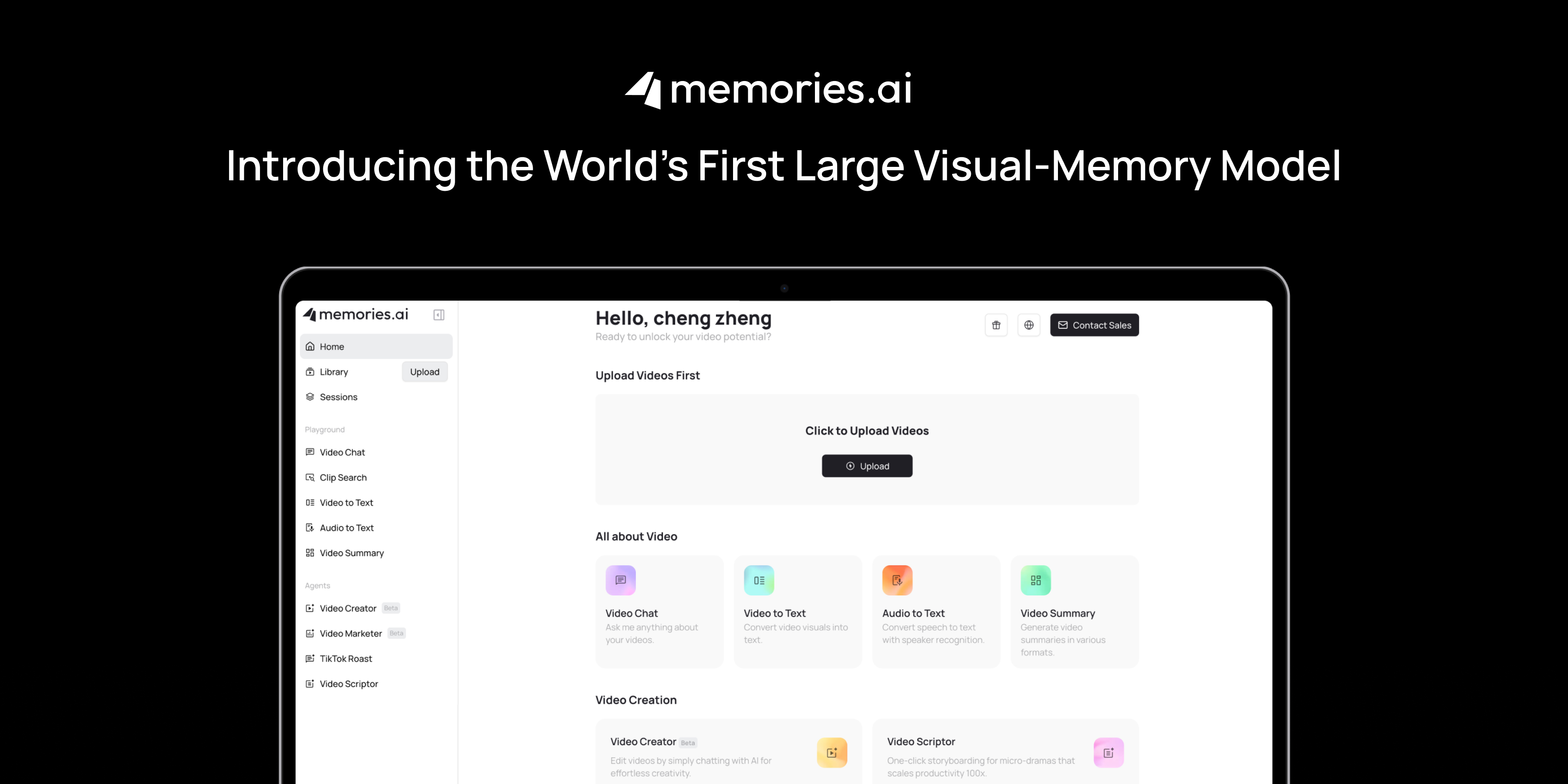
Memories.ai is a smart tool that helps you quickly understand any YouTube video — without watching the whole thing. Just paste a video link, and our AI gets to work summarizing the content into clean, easy-to-read takeaways.
Whether it’s a 10-minute tutorial or a 90-minute podcast, Memories.ai cuts through the fluff and gives you what matters: the core ideas, clear structure, and timestamped insights — all within seconds.
How It Works:
Using Memories.ai is simple and flexible. Just paste a YouTube link or upload any video you want to summarize, and the system will automatically extract the transcript, identify key themes, and generate a clear, structured summary.
You can choose between short summaries, full transcripts, or detailed breakdowns, depending on your needs. Dialogue is grouped by speaker, complete with timestamps for easy navigation.
Plus, with our built-in AI chat feature, you can ask questions and explore deeper insights from the video, all without rewatching it.
Best of all, Memories.ai isn't limited to YouTube. It works just as well with TikTok clips, webinars, online courses, and training sessions — giving you a powerful way to understand video content across platforms.
Key Features:
-
AI-generated summaries in multiple formats:short, long, and bullet-point
-
Timestamps & chapter markers to jump to key sections
-
Topic extraction & clustering for deeper content understanding
-
Supports multiple video sources, not limited to YouTube
-
Custom summary modes for students, professionals, or researchers
-
Export to Notion, Markdown, or plain text
-
Multilingual support for over 30 languages
-
No installation or extensions required — works directly in the browser
-
Optional memory storage for building a personalized video knowledge base
-
Fast processing, with summaries often ready in under 30 seconds
Data Privacy & Security:
Memories.ai does not store video content or transcripts after summary generation unless you choose to save them in your account. Your data stays private and is never used for training external AI models.
Pros:
-
Fast, accurate summaries with clear structure
-
Works with any YouTube link, no download required
-
Multiple summary formats for different use cases
-
Great for students, researchers, and content creators
-
Easy export and knowledge curation options
Pricing:
-
Free Plan: $0/month (Includes 100 credits per month for basic video analysis and agent tools).
-
Paid Plans: Plus plan starts at $15/month (billed annually) for high-volume usage (5,000 credits), with flexible credit packages available starting at $9.20.
2. NoteGPT

NoteGPT is a lightweight AI YouTube video summarizer designed for quick and easy use. It helps you summarize YouTube videos directly in your browser, without any downloads, sign-ups, or extensions.
Just paste a video link, and NoteGPT works as a YouTube transcript tool and summary generator in one. It creates a clean transcript, basic subtitles, and a short AI summary to help you understand the video’s key points. You can also view simple chapter breakdowns or copy/download the content for later.
Key Features:
-
One-click YouTube summary generator and transcript
-
Chapter and subtitle breakdown from YouTube videos
-
Browser-based — no installation or account needed
-
Includes basic AI chat and presentation tools
Pros:
- Fast and beginner-friendly
*Good for previewing or skimming YouTube content
*Lightweight alternative to more advanced AI tools
*Quick YouTube video summary output with no learning curve
Pricing:
- Starting Price: $9.99/month
3. Eightify

Eightify is a Chrome extension that acts as an AI YouTube video summarizer, allowing users to generate quick summaries directly from any YouTube video page. Once installed, you simply open a video and click the Eightify button to see the key points extracted instantly.
It uses AI to process both audio and transcript data, delivering summaries that are clean and focused. The tool works across devices — including mobile via app — and supports summaries in over 40 languages, making it accessible to global users.
Eightify is especially handy for users who want to get on-demand video summaries while browsing YouTube without switching platforms.
Key Features:
-
Chrome extension for instant YouTube video summaries
-
Click-to-summarize inside any video page
-
Summarizes long and short videos alike
-
Supports 40+ languages
-
Available on desktop and mobile (via app or mobile browser)
-
Can summarize podcasts, news clips, and educational videos
-
Shareable summaries via link or export
Pros:
-
Fast, on-page summarization while watching YouTube
-
Mobile-friendly and easy to install
-
Accurate and well-structured AI summaries
-
Supports multilingual output
Pricing:
- 7-day free trial available
- Paid plans required for unlimited summaries and advanced customization.
4. Decopy.ai
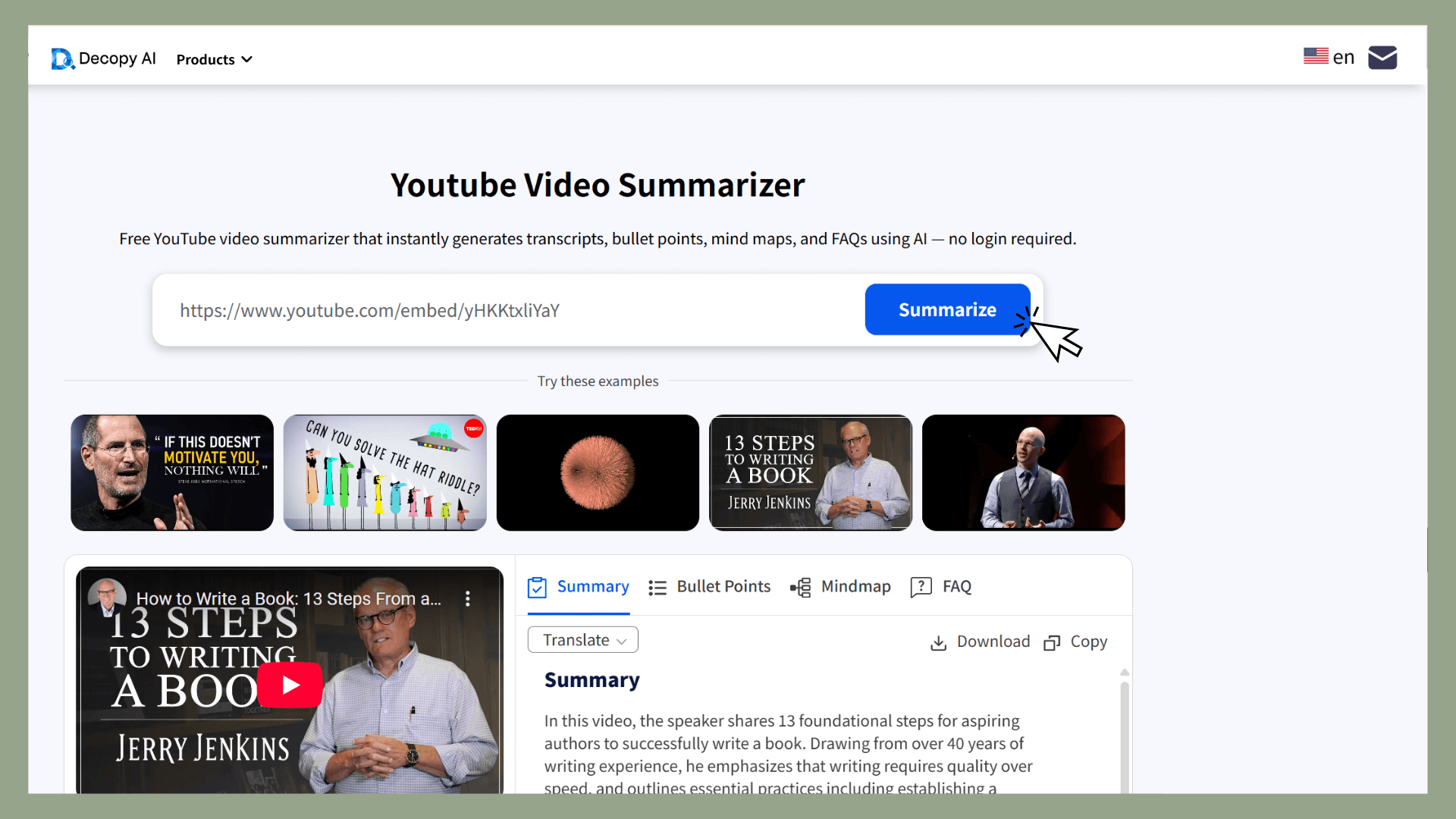
Decopy.ai is a free YouTube video summarizer powered by AI. It generates transcripts, summaries, mind maps, and Q&A content directly from video links—no signup required. Simply paste a YouTube URL, and Decopy delivers structured takeaways within seconds.
The tool is designed for speed and simplicity. Whether you're watching tutorials, product reviews, news, or online lectures, Decopy helps convert passive viewing into actionable notes and insights.
Key Features:
-
One-click AI YouTube summary generation
-
No login or account setup required
-
Outputs include: transcript, mind map, summary, Q&A, timestamped highlights
-
Supports multiple languages
-
Visual summary formats (e.g. mind maps) for quick comprehension
-
Chrome extension available
Pros:
-
Truly free: up to 50 summaries per day
-
Fast and easy: paste and go
-
Good for note-taking, research, blogging, and studying
-
Works well for long-form content, webinars, and lectures
-
Multiple summary formats to suit different users
Pricing:
- Free Plan: 100% free to use, no login required.
5. Notta
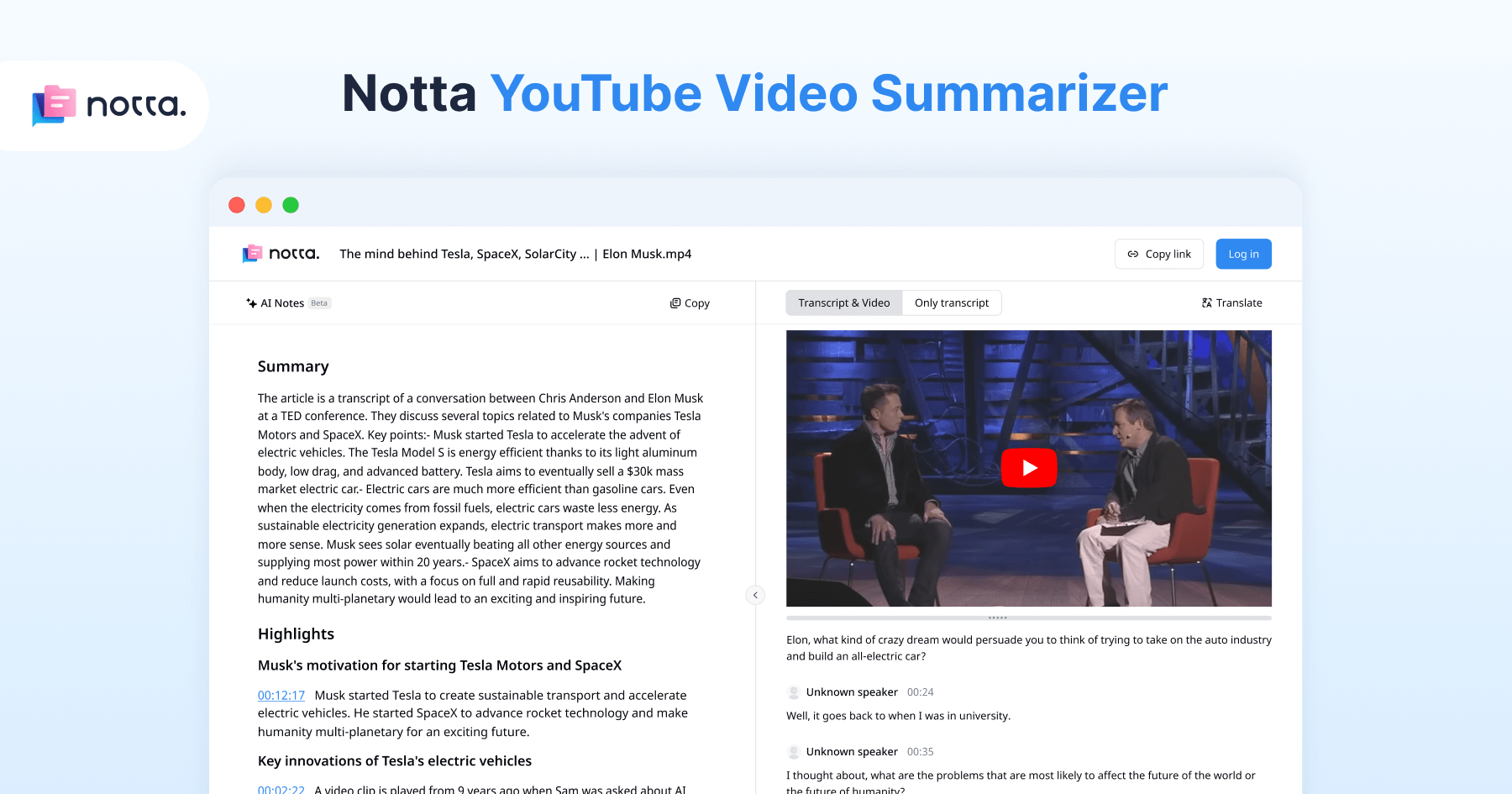
Notta Notta is a professional-grade AI tool. While it includes robust YouTube summarization features, Notta truly excels as a YouTube video-to-notes converter, offering highly accurate transcriptions and intelligent summaries.
By combining AI-powered speech recognition with smart summarization, Notta lets you extract key takeaways from long YouTube videos—without watching them in full. This makes it a go-to solution for business teams, researchers, educators, and content professionals who need precise, searchable documentation.
Key Features:
- Upload videos or paste YouTube links
- AI summary and mind map
- Extensive Language Support
- Q&A-style content generation
Pros:
- Excellent transcription accuracy compared to most basic YouTube summarizers.
- Versatile outputs: from summaries to presentations.
- Clean interface with multiple export options
- Video-to-content formats help with reuse (e.g., slide decks, podcasts)
Pricing:
- Free plan available (limited summaries).
- Starting Price: $8.17/month
Part 3. Tool Comparison: Which YouTube Summary Generator Is Right for You?
AI YouTube Video Summarizer Tools Quick Comparison
| Tool | Best Use Case | Starting Price |
|---|---|---|
| Memories.ai | Comprehensive summaries with AI chat, multi-format output | Free (100 credits/month), Paid from $9.20 |
| NoteGPT | Quick YouTube summaries in-browser, no install needed | $9.99/month |
| Eightify | On-page YouTube summarization via Chrome extension | Free trial, Paid plan required |
| Decopy.ai | Fast, free summaries with mind map/Q&A, no login | 100% free |
| Notta | High-accuracy transcription + professional note generation | Free plan, Paid from $8.17/month |
Part 4. FAQ: Common Questions About AI YouTube Video Summarizers
What is an AI YouTube video summarizer?
An AI YouTube video summarizer is a tool that automatically analyzes video content, extracts transcripts, identifies key points, and delivers a readable summary. Tools like Memories.ai use advanced natural language processing to turn long-form content—like lectures, podcasts, and tutorials—into short, actionable takeaways.
How does Memories.ai summarize YouTube videos?
Memories.ai uses a combination of transcript extraction, semantic clustering, and AI summarization to generate multiple formats of summaries. Just paste in a YouTube link or upload a video, and the tool provides:
Short bullet-point summaries
Full transcripts with timestamps
AI-generated chapters
Optional Q&A and chatbot-based interaction
It's a complete video-to-text AI tool built for learners, creators, and professionals.
How fast is the summarization process?
Memories.ai is optimized for speed. In most cases, you’ll receive your YouTube video summary in under 30 seconds — even for long videos. That makes it ideal for quickly previewing content before committing time to watch it.
Can I interact with the video using AI?
Yes. Unlike basic YouTube summary generators, Memories.ai includes an AI chat feature that lets you ask questions about the content. Want to dive deeper into a concept or find a specific section? The chatbot pulls information directly from the transcript and summary.
Does Memories.ai support different languages?
Absolutely. The platform supports over 30 languages, making it a powerful multilingual AI video summarizer. Whether the video is in English, Spanish, Japanese, or German, the tool can extract, translate, and summarize accurately.
Is my data safe with Memories.ai?
Memories.ai values user privacy. None of your content is stored unless you explicitly choose to save it. The tool does not use your data for training external AI models, and everything is processed securely. Who is this tool best for?
Memories.ai is ideal for:
Students looking to summarize YouTube lectures
Researchers analyzing interviews or conference talks
Content creators repurposing long videos into short notes
Busy professionals reviewing webinars or training videos
Whether you're skimming content or building a personal knowledge base, this AI video summarization tool saves time and effort.
Read more

Best Meeting Transcription Software in 2026 (Tested & Compared)
We tested 8 meeting transcription tools head-to-head. Compare accuracy, AI summaries, pricing, and integrations to find the best fit for your team.
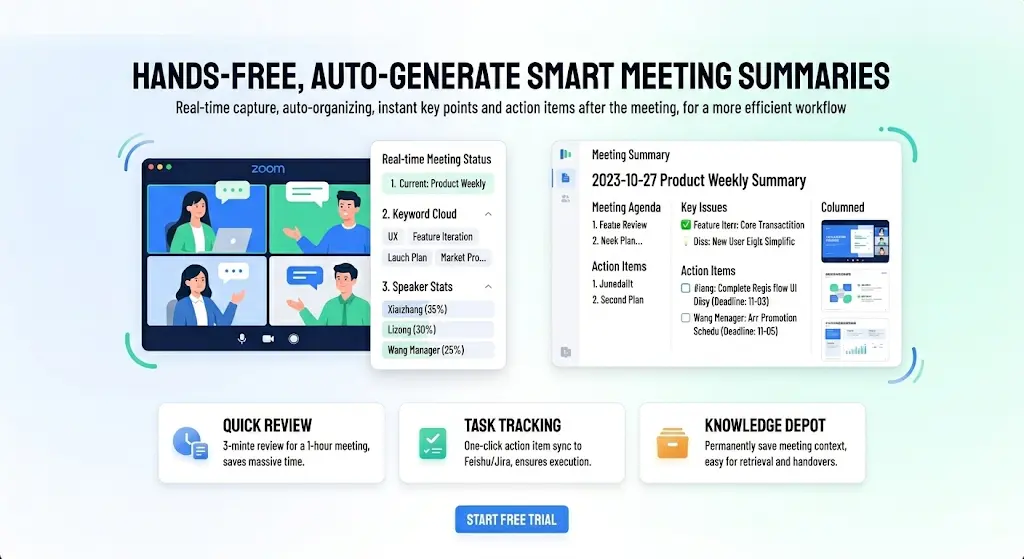
Best AI Note Taker for Zoom in 2026 — Auto Summary, Action Items & Smart Search
Compare the 6 best AI note takers for Zoom meetings. Get automatic transcription, summaries, and action items. See how they stack up on accuracy, features, and price.

How to Convert Video to Text with Visual Descriptions (2026 Guide)
In a world where 80% of internet traffic is video, text-only transcripts leave out half the story. This guide shows you how to use [Memories.ai](https://memories.ai/app) to convert video and audio into text that includes visual narratives, speaker recognition, and customized summaries.